How it works
A studio year, on one record.
The work of a studio year, as the people in it meet it. Your class list opens your studio, a family registers and pays, a teacher takes roll, tuition posts by your rules, one message reaches every family, and the recital reaches the books.
Step 1
Your class list opens your studio
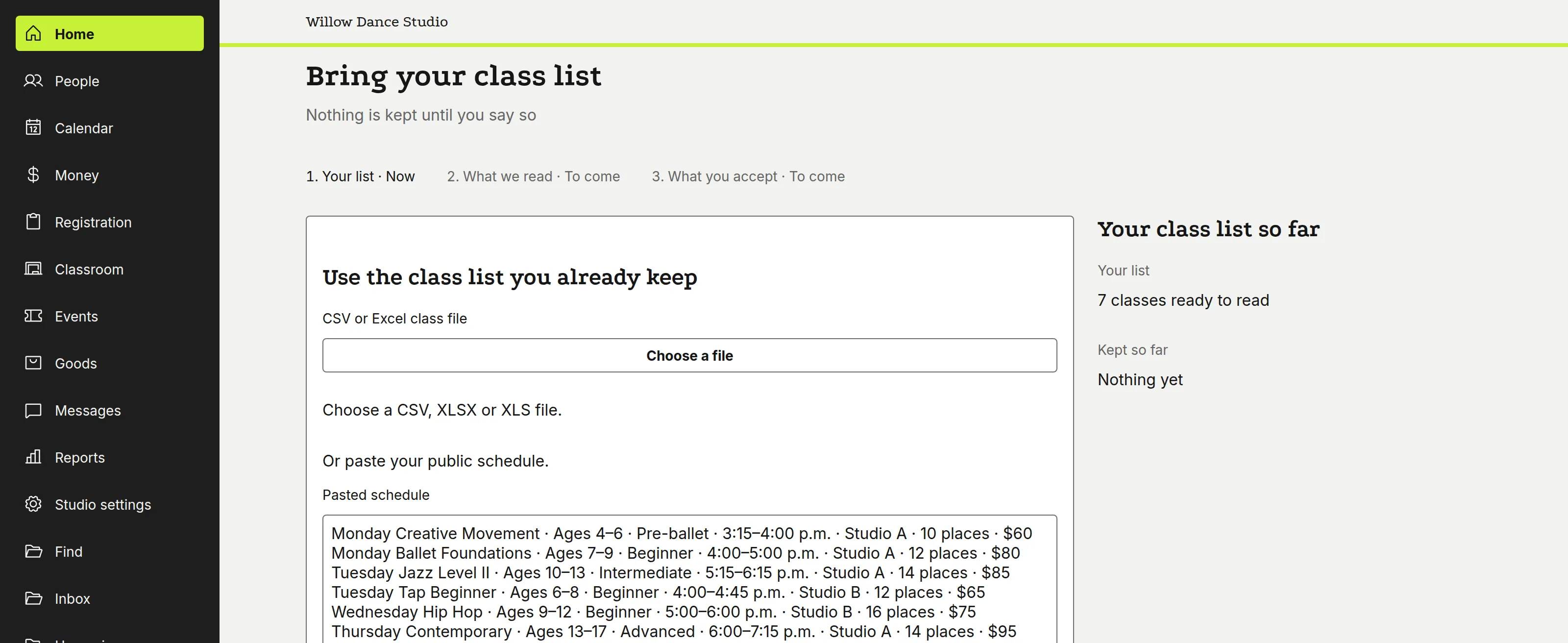
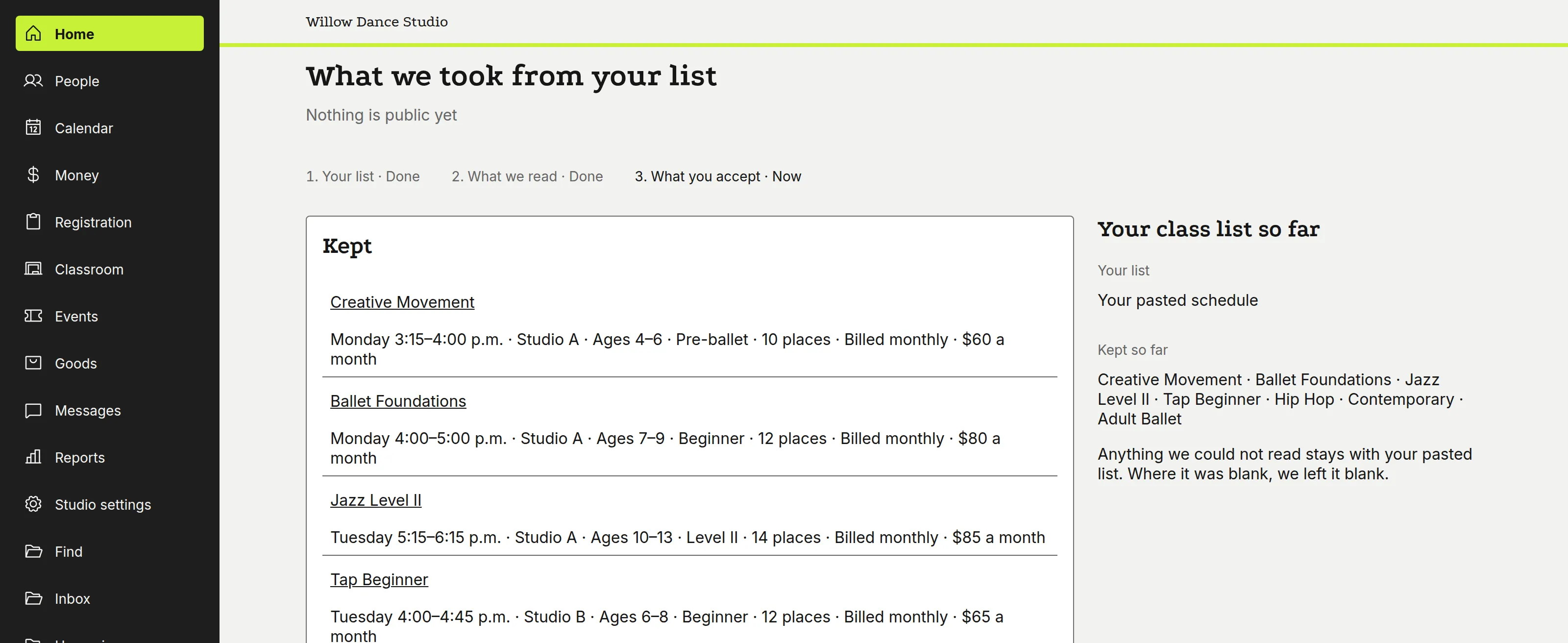
You paste your own class list, and the season stands ready before you move anything.
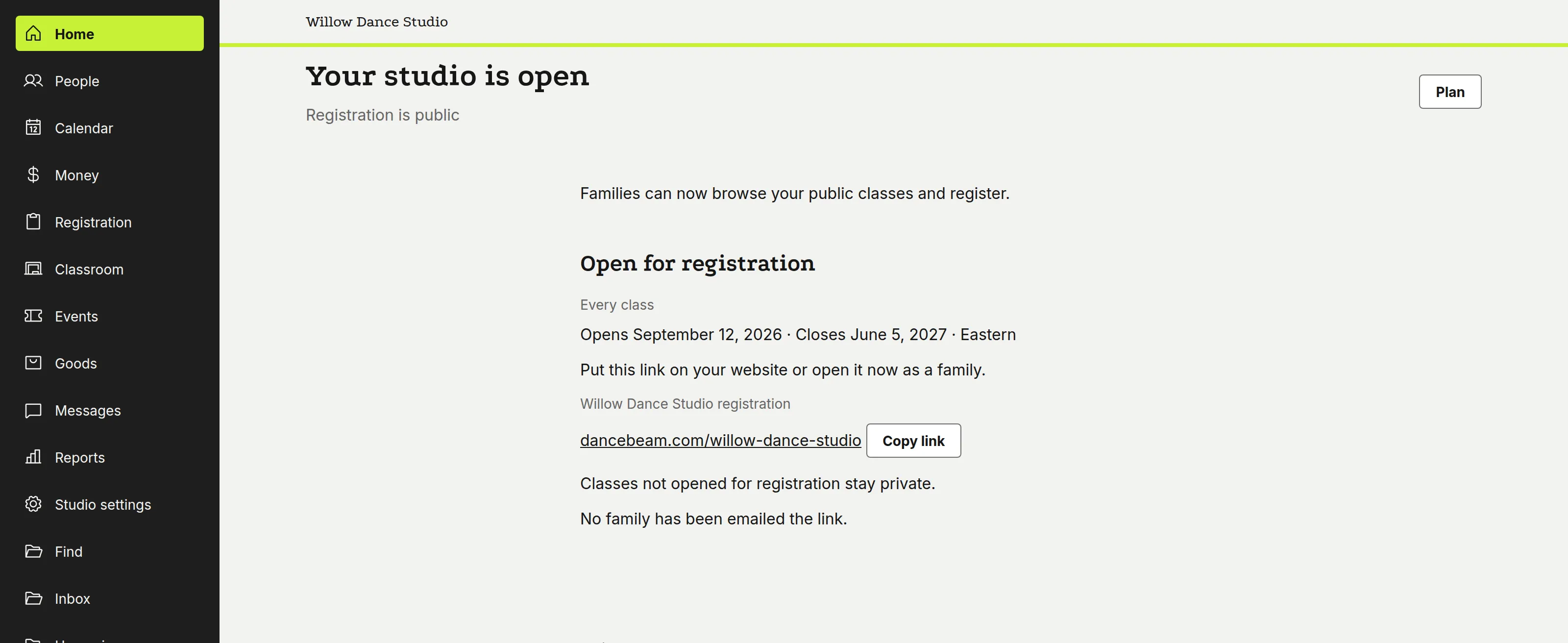
The list you already keep — class names, days, times, tuition — is read in and shown back class by class, so you can check every line before anything is final. When you accept it, your studio is open: every class on the calendar, a registration link your families can use. Nothing is re-keyed, and no family has moved over yet.
Step 2
A family registers and pays
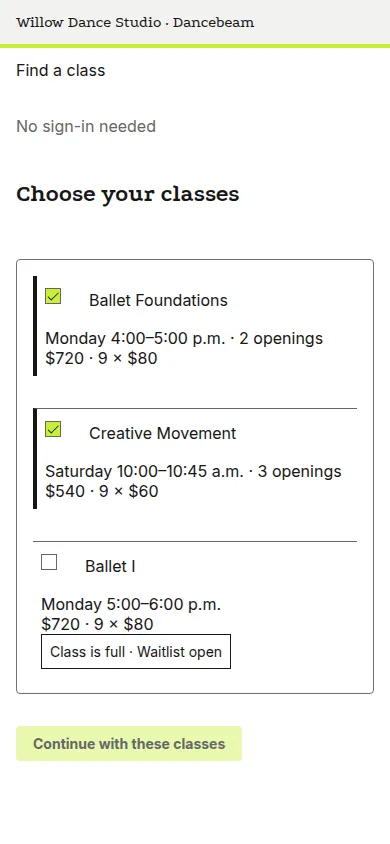
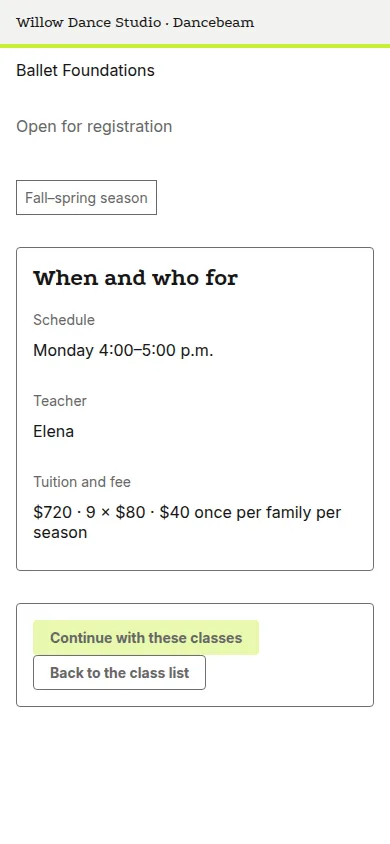
A parent finds a class, sees the schedule and the exact amount, and pays, without calling the front desk.
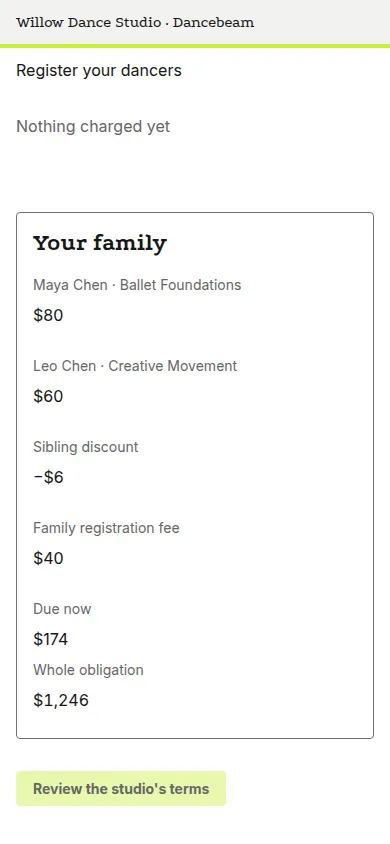
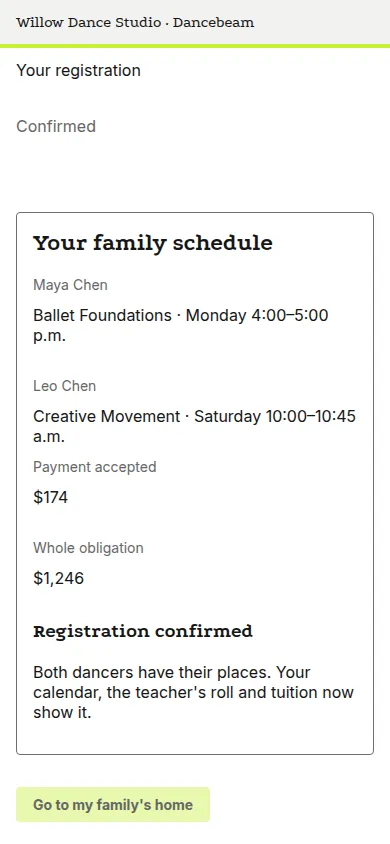
Parents choose from the class list, open the class page for the schedule and the price, and read the itemised amount, the sibling discount taken, before they commit. The payment takes the card right there, card or bank. The confirmation shows both dancers' places, the family's schedule and what's owed. All on the phone, no app.
Step 3
A teacher takes roll
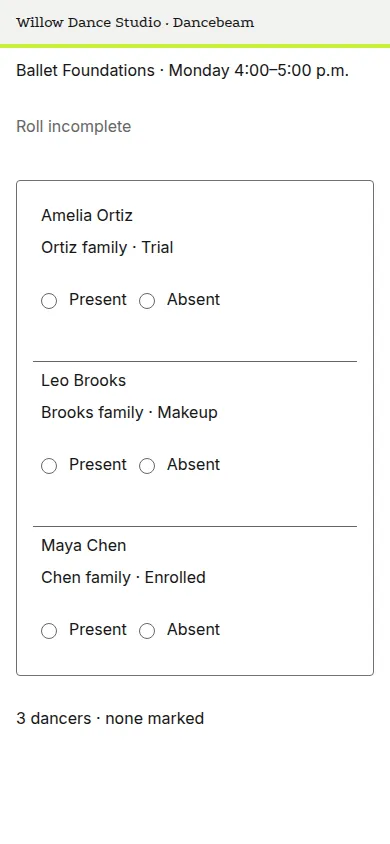
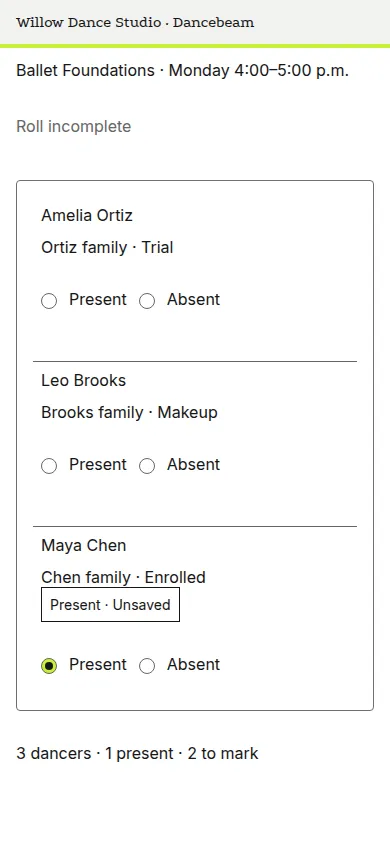
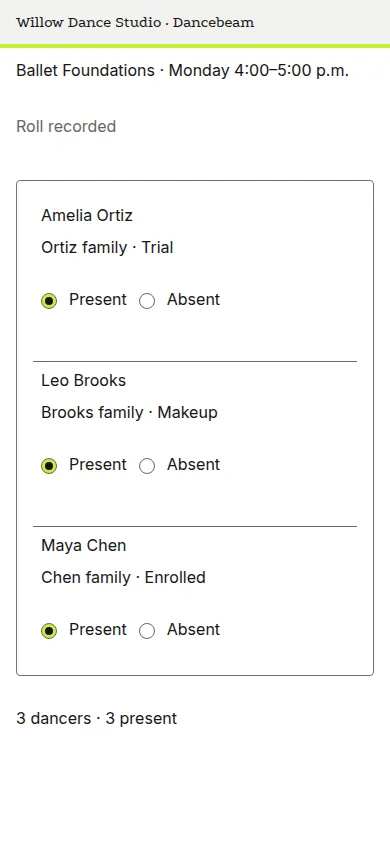
Before class, the teacher opens the roll on their phone and takes attendance in under a minute.
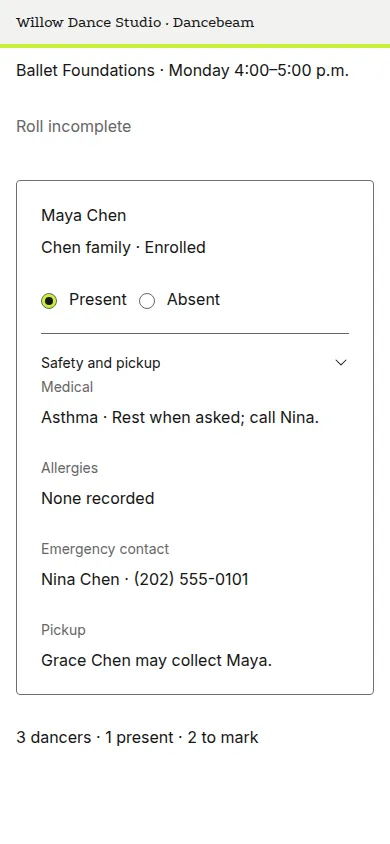
The teacher opens the unmarked roll; marking present is a tap on each dancer's row. Safety and pickup, allergies, medical flags, emergency contacts and who may pick each child up, sit on the same roll, current to the minute. The saved roll stands with its counts.
Step 4
Tuition posts by your rules
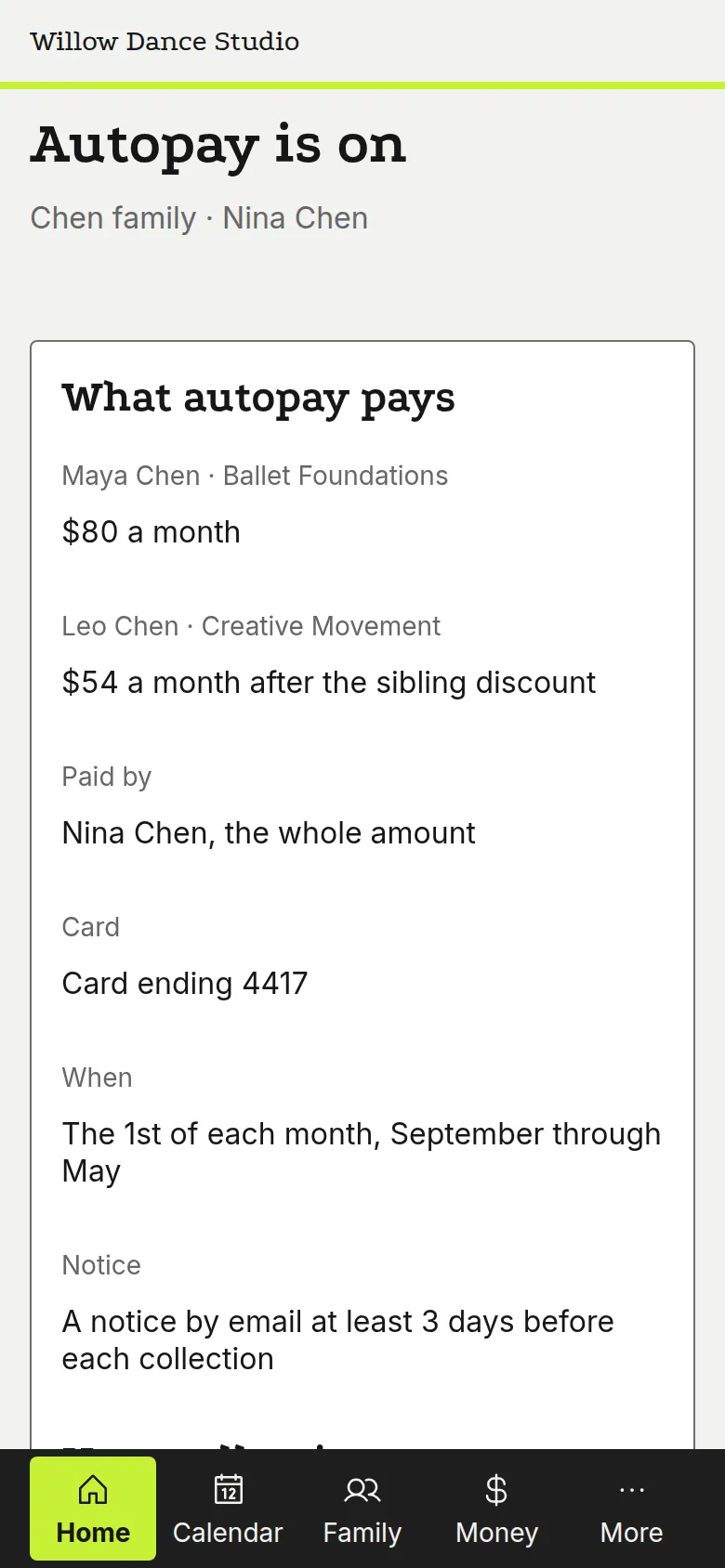
The month's tuition posts by the rules you set once: every family's amount and due date, what's late and what's still expected.
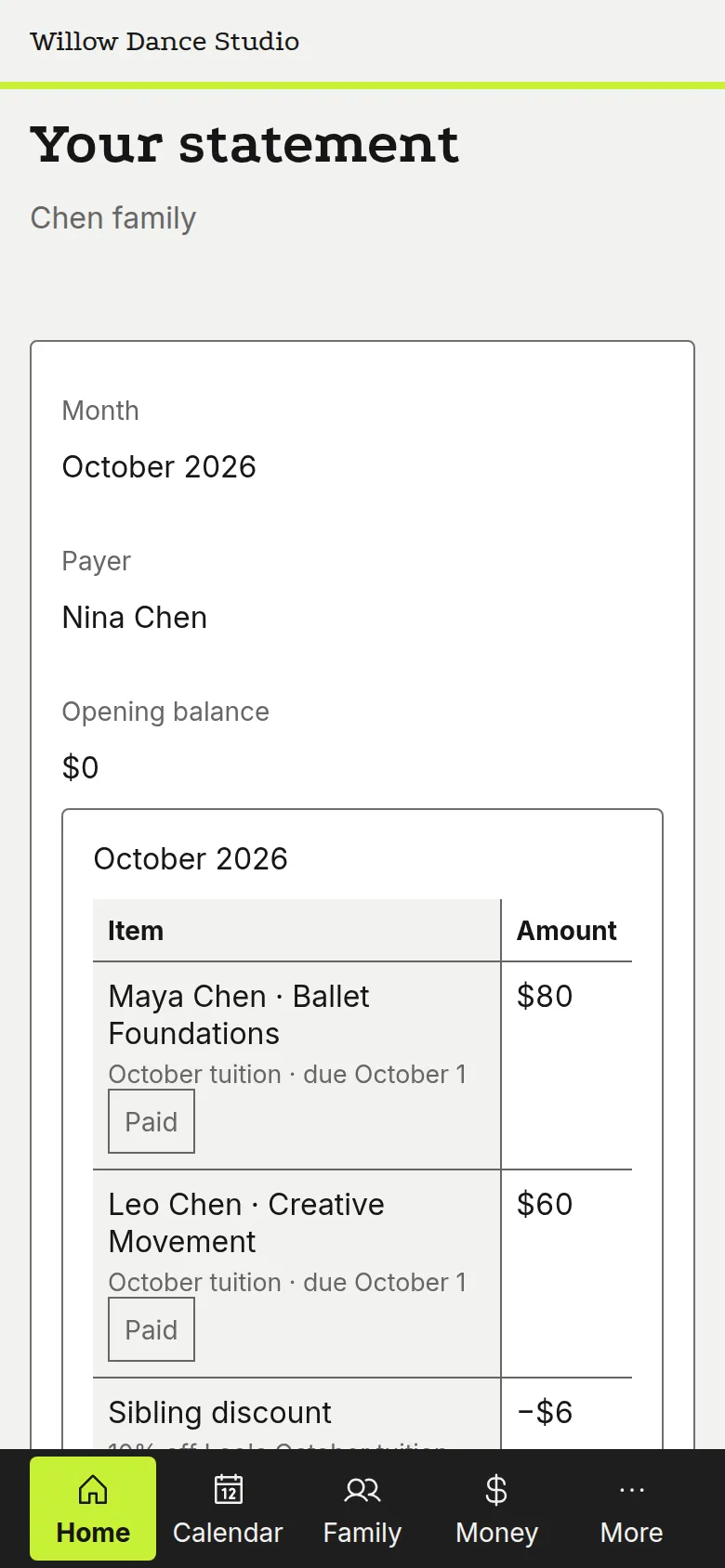
The month's tuition stands on one screen as collected, due, late and still expected, each family's amount and its due date under them. You set the rules once; autopay collects each family's month on the 1st, and a notice goes before every payment. The parent sees the same month on her statement: the tuition line, and the payment against it. When a family joins mid-month, the same rules figure the first month — the sibling discount and the prorate — and the charge preview names every dancer's amount before anything posts.


Step 5
One message reaches every family
You write once, choose who it's for, and it reaches every family by text and email.
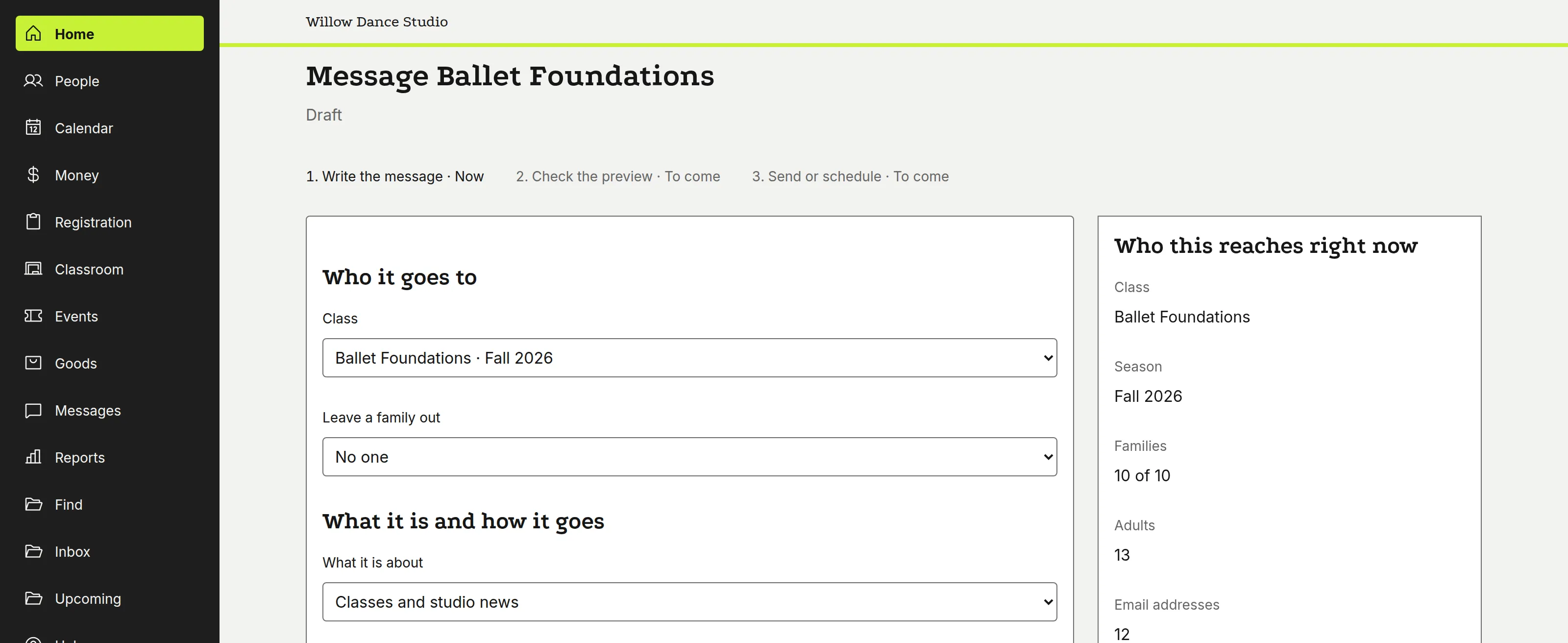
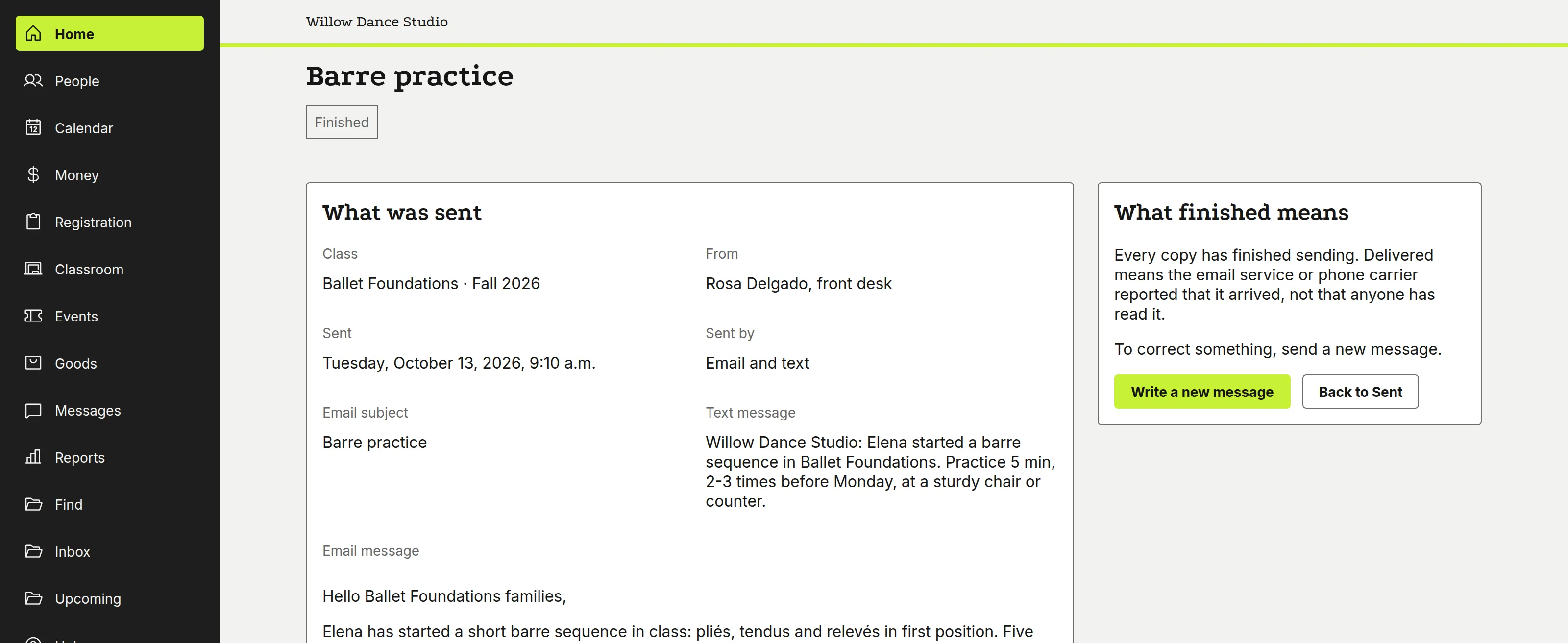
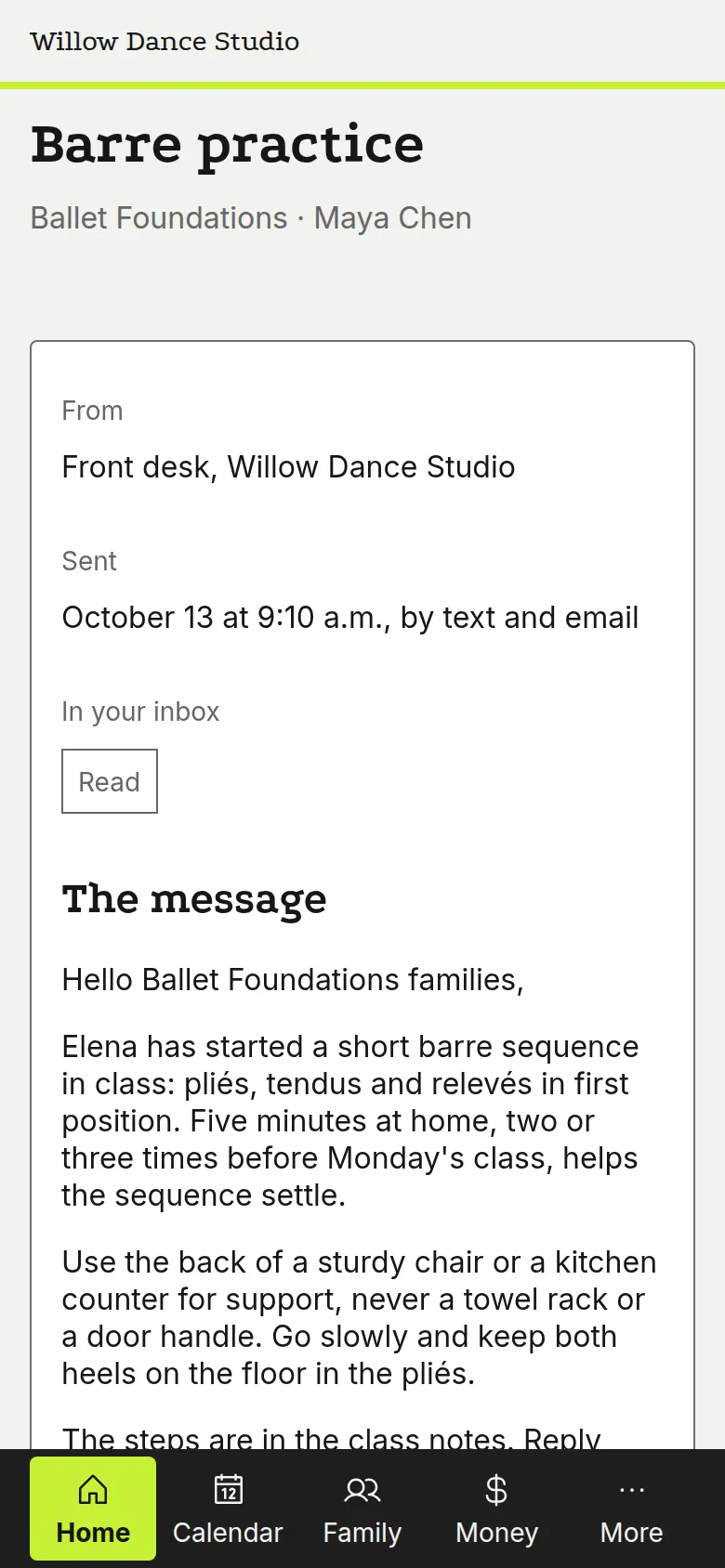
Choose a class, a team or the whole studio, and Dancebeam counts the families the message reaches before you send. It goes by text and email, and when it's done you see every family reached. The parent reads it in her own inbox.
Step 6
The recital reaches the books
Costume sizes, recital fees and ticket money stay connected to each family's account.
The costume order keeps each dancer's size and routines beside the family's costume total. The family's account carries the costume deposit and the recital fee, with the payment against them. Ticket sales keep held seats apart from what's on sale. At the matched deposit, what families paid minus the processor's fees is what the bank received; the books close without a second ledger.


Try it with your own studio
Your own classes run on the same Dancebeam. Start free, or talk to a person first.
Want a person to walk you through setting up your own studio? The call is 30 minutes, and never required.